Local-first AI browser

The browser that does the work —
and shows its work.

Keviq Browser helps you run repeatable web tasks in real browser sessions — with explicit permissions, local history, and outcomes you can inspect.

Local-first · Ollama or your API · Multi-profile · Inspectable history
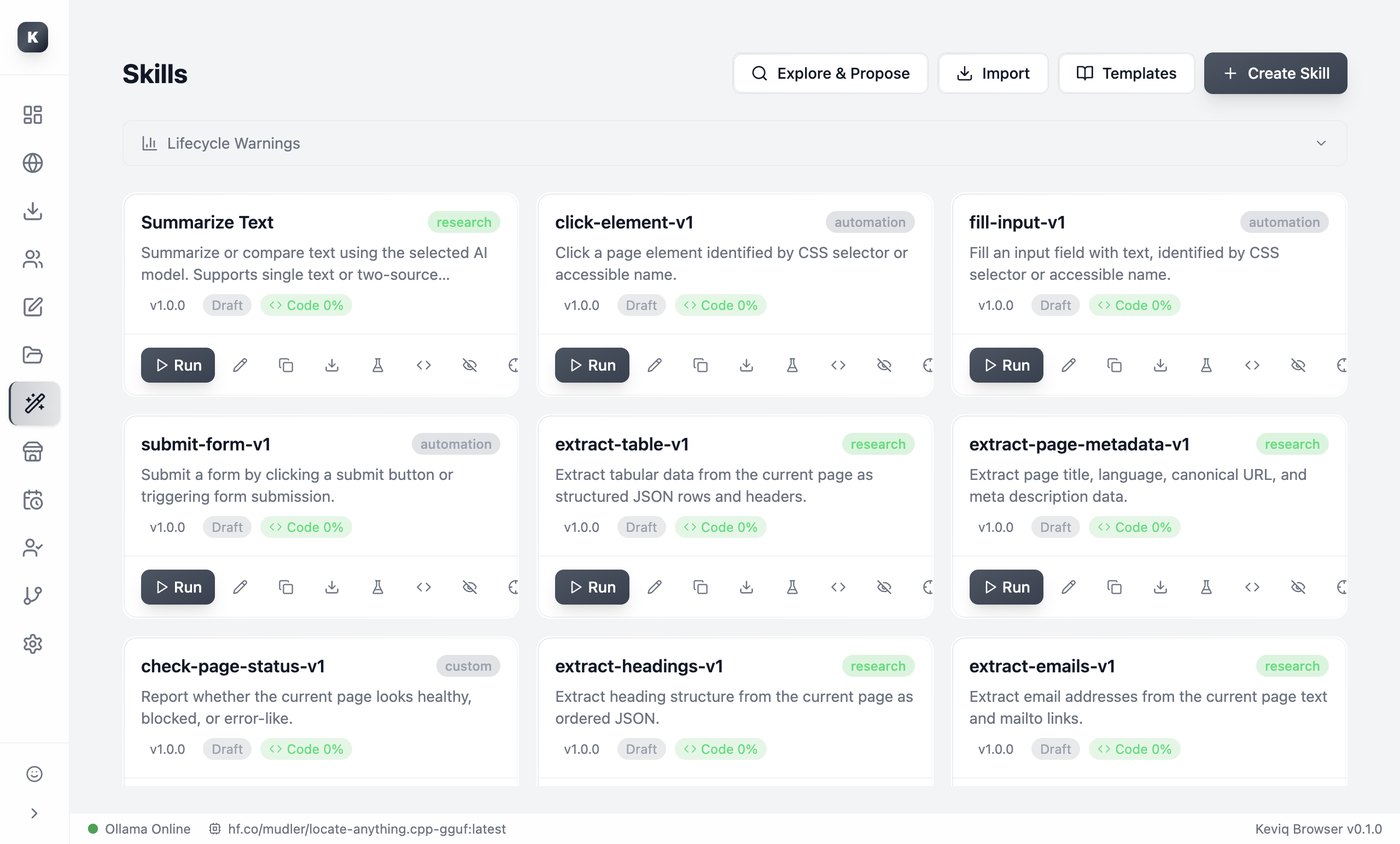
keviq · Weekly client report — Profile: Client A
Workflow · running
Open client portal
Filter this week
Export report
Upload & confirm
History · evidence
outcome · completed
verification · passed
records · 12 items
failed · 1 (flagged)
started · 09:14
PREVIEW — a real screenshot / demo loop will replace this
Real browserOllama or your APISkillsWorkflowsLocal history
What you can do today

The work, on your machine.

01

Browse with your own AI

Connect Ollama on your machine, or use a compatible third-party API. Your keys, your models.

Available in Alpha
02

Turn repeated work into workflows

Create, run, schedule, stop and inspect reusable browser workflows.

Available in Alpha
03

Keep client sessions separated

Use local profiles for different accounts, projects and browser contexts.

Available in Alpha
04

See what actually happened

Review run history, errors and outcomes instead of trusting a generic “Done”.

Available in Alpha
How it works

From a repeated task to a reusable workflow.

01 — Create

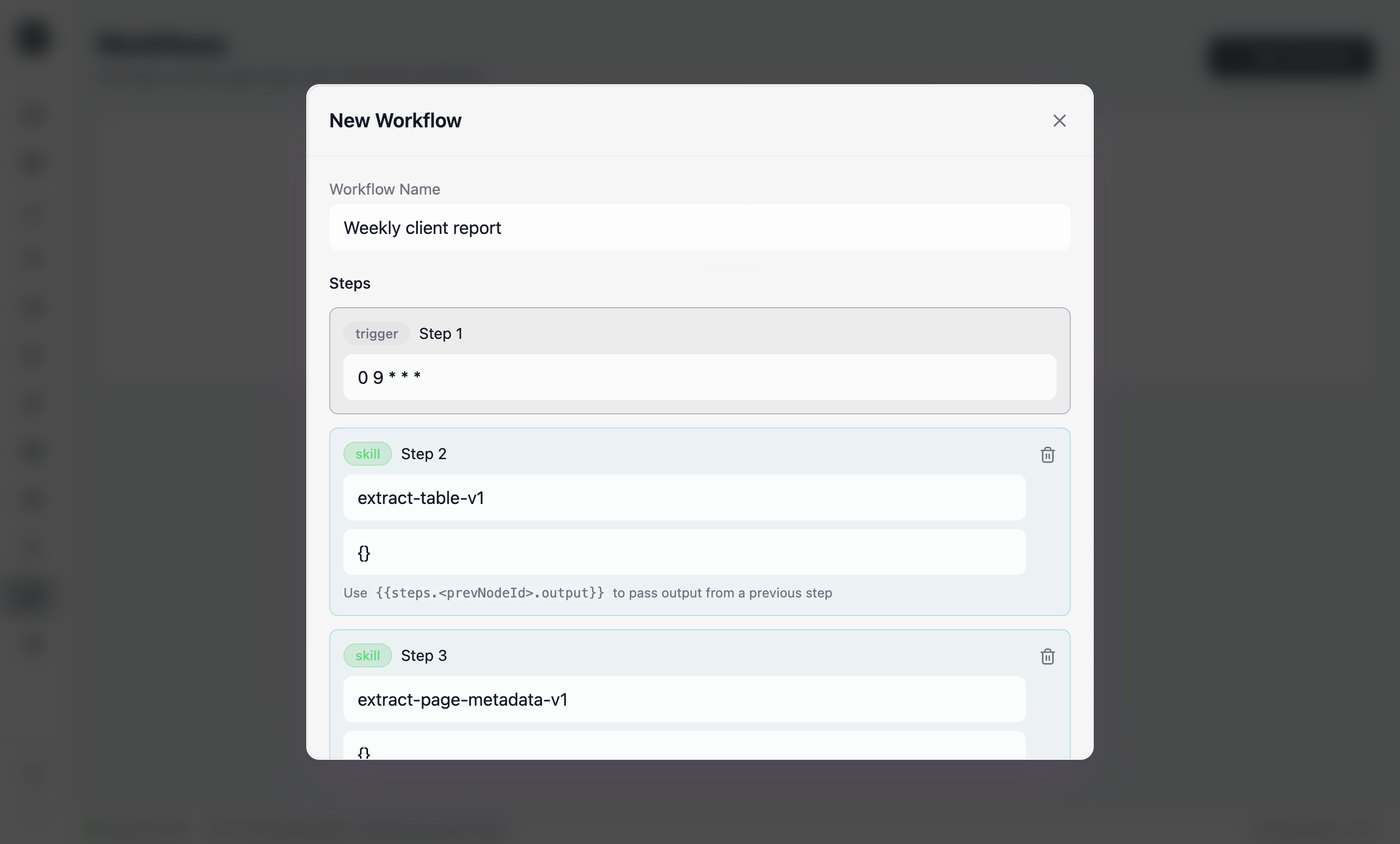
Assemble the steps

Build the steps of a task once, in a real browser.

SCREENSHOT — Workflow Designer
02 — Run

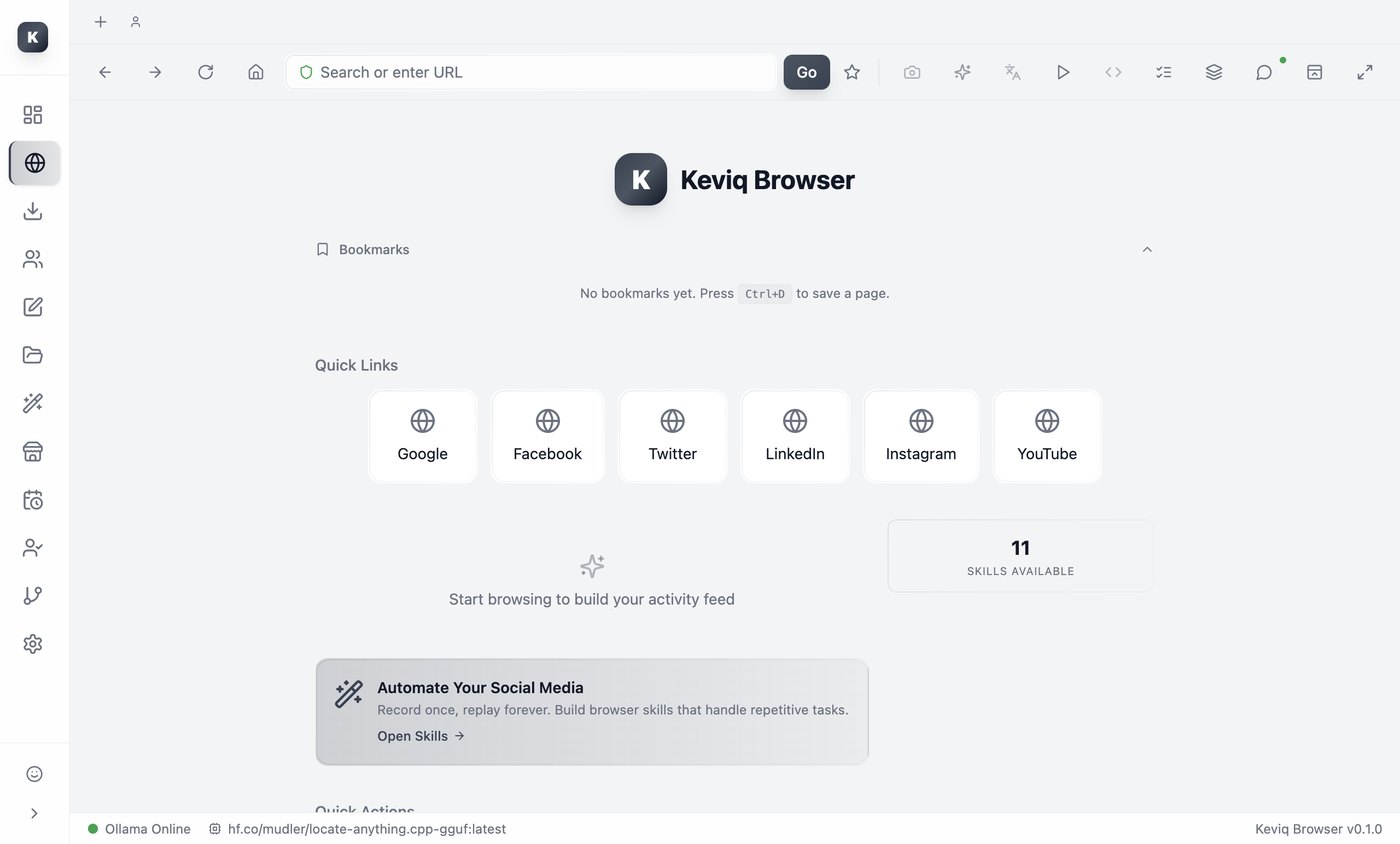
Keviq performs the work

It runs the task in a real browser session, within the permissions you set.

SCREENSHOT — Browser running the task
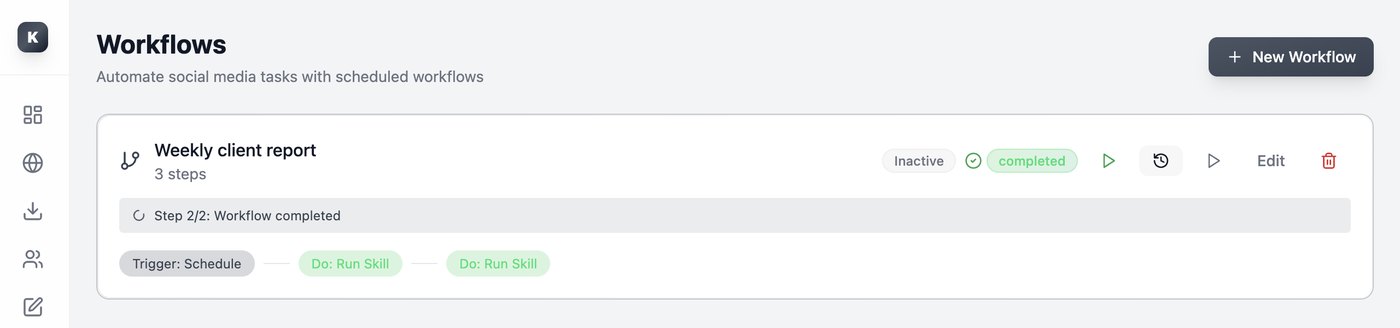
03 — Inspect

See the result

Check the final status, run history and evidence — not just a “Done”.

SCREENSHOT — History / result detail
Why it's different

A browser agent should not be trusted just because it says “done.”

Request
What you asked for.
Action
What Keviq was allowed to do.
Evidence
What was observed and recorded.
Verification
Whether the requested result was actually reached.
Outcome
Completed, failed, cancelled — or needs review.
Execution receipt
WorkflowWeekly client report
ProfileClient A
Started09:14
OutcomeCompleted
VerificationPassed
Evidence12 records · 1 flagged
Where it fits

Real work, made repeatable.

Content operations

Prepare, upload and publish approved content across client portals.

Before45 min of repetitive browser work
With KeviqOne reviewed workflow
Result12 done · 1 failed · full history

Repeated back-office work

Update listings, enter structured data and download recurring reports.

BeforeManual entry across tabs
With KeviqA scheduled workflow
ResultRecurring, inspectable runs

Research and collection

Open pages, extract information and preserve the result in a reusable workflow.

BeforeCopy-paste from many pages
With KeviqOne repeatable collector
ResultStructured output + evidence
Local-first · your model

Your browser sessions stay on your machine. Your model remains your choice.

Local AI

Connect Ollama and keep inference on your device.

Bring your own provider

Use a compatible API endpoint and choose the model that fits the task.

Local data is the default. If you use a third-party API, the context needed for the task is sent to that provider. Keviq Bridge is not available yet — and we don't claim “fully offline” when an external API is in use.

Where the product is

Available now, in the lab, and later.

● Available in Alpha
  • Browser and profiles
  • Ollama and compatible APIs
  • Skills
  • Workflow v1
  • Scheduling
  • Stop and run history
  • Local persistence
  • Assisted updates
◐ Labs
  • Read-only background actors
  • Selected trusted browser actions
  • Advanced execution receipts
○ Later
  • Guided Tasks
  • Bounded Batch
  • Keviq Bridge
  • Remote control
  • Learning & skill evolution
  • Image Generation
Status · Private alpha

Join the Keviq Browser Alpha.

We're shipping Preview builds to a small group of design partners before a wider release. It is not a stable release yet.

internalalphabetastable
FAQ

Straight answers.

Is Keviq Browser open source?

Not yet. We're releasing the installable product first and preparing the source release as a later phase.

Does it work offline?

The browser, local data and Ollama workflows can run locally. Third-party API providers require an internet connection.

Does Keviq act without permission?

Sensitive actions remain bounded by product policies and user-controlled feature access.

Is ChatGPT or Claude subscription login supported?

Not in the current Alpha.

Is Image Generation included?

Not in the current Alpha release.

Can it automate every website?

No. Website behavior, permissions and verification support vary.